
This article was written with the help of AI. We used an AI assistant to draft it, then checked every date and claim against Microsoft's own documentation. Sources are linked throughout.
The Microsoft Entra SMS retirement starts February 1, 2027. On that date Microsoft stops sending the text and voice codes that many small businesses use to sign in to Microsoft 365. Microsoft's retirement page says SMS and voice "are no longer positioned as secure authentication methods" and that passkeys are becoming the default instead.
Nothing breaks for a user who already signs in with the Authenticator app, a passkey or Windows Hello. The trouble is the person whose only second step is a text message. After the cutoff, that person gets stopped at sign-in and cannot continue until they register a passkey.
The Dates
- September 1, 2026 (already happened). Users enabled for SMS or voice were automatically enabled for passkeys and started seeing a prompt to register one after MFA. They can snooze it.
- October 30, 2026 (already happened). Businesses that need to keep text or voice codes can pick a telephony provider in Microsoft Security Store. Soprano and Telesign are the first two listed.
- February 1, 2027. Microsoft-provided SMS and voice authentication is retired for everyone except Global Administrators and external users. Internal guest accounts are included in this date.
- July 1, 2027. The same retirement for Global Administrators and external users.
Microsoft offered a temporary opt-out from the September changes, but it only delays the passkey prompts. The page is direct about it: there is no opt-out from enforcement on the retirement dates.
What a Locked-Out User Will See
After February 1, a user in scope whose only MFA method is SMS or voice is told to register a passkey during sign-in, and Microsoft describes that prompt as blocking. If the person has a phone that can hold a passkey and knows what to do, it takes a few minutes. If they are on an old phone, a shared device or a job site with no one to help, it becomes a help desk call on a Monday morning.
The text message itself may still arrive from somewhere else, such as a bank or another app. That is unrelated. Entra simply stops offering Microsoft-sent codes as a way in.
Step 1: Find Who Still Uses Text or Voice Codes
Two places tell you what you need:
- Microsoft's analyzer script. Microsoft publishes a PowerShell script that lists users enabled for SMS or voice. It needs the Global Reader, Authentication Policy Administrator or Security Reader role.
- The authentication methods activity report in the Entra admin center. Microsoft's guide to the report shows which methods each user has registered and which ones people actually use.
Put the results in a simple list: name, role, current methods, replacement, and whether a fresh sign-in has been tested. Sort the list so the people who can least afford to be locked out come first: the owner, whoever runs payroll, and anyone who works away from the office.
Do not skip your administrators because their date is July. An admin account that depends on a text code is a risk today, and a locked-out admin is what makes everyone else's lockout hard to fix.
Step 2: Move People to Passkeys
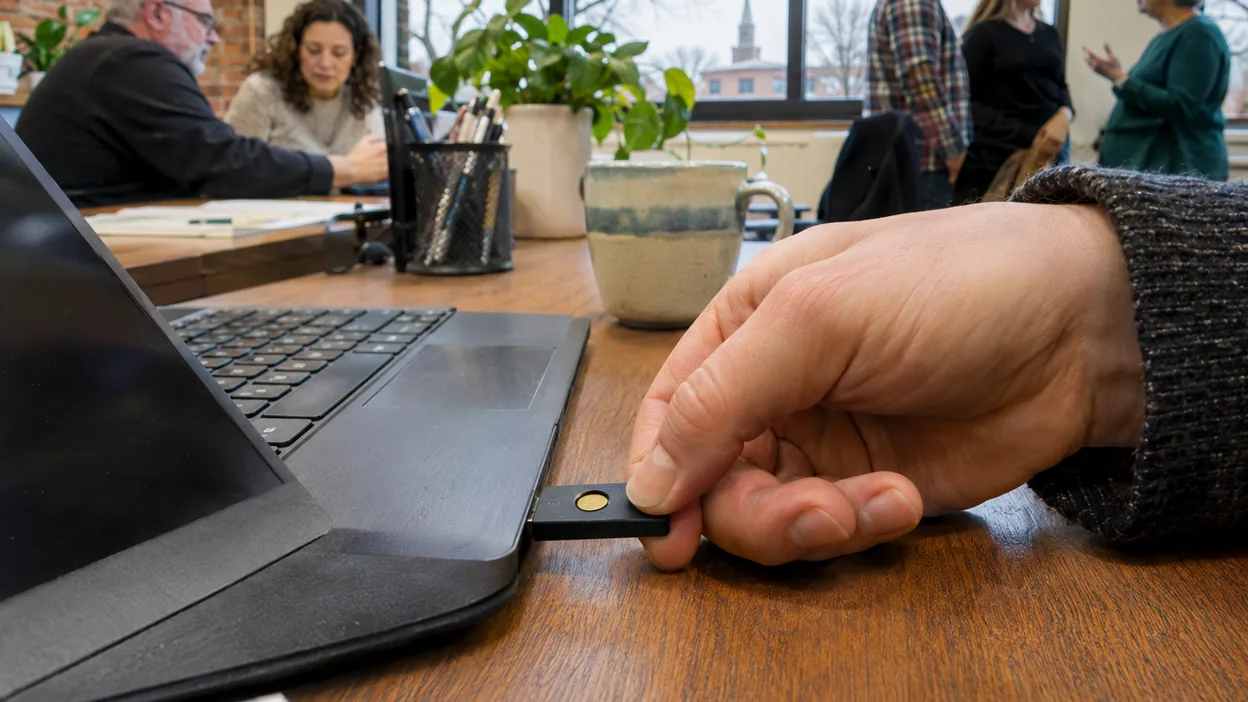
Microsoft supports two kinds of passkeys in Entra ID:
- Synced passkeys, saved in iCloud Keychain or Google Password Manager and available on the person's other devices. Easiest for staff who already use those.
- Device-bound passkeys, which stay on one device: the Microsoft Authenticator app, Windows, or a FIDO2 hardware security key.
Turn passkeys on for the right groups first, using Microsoft's passkey deployment plan. Microsoft also suggests a registration campaign, which prompts users to add a passkey the next time they sign in, so staff do it themselves instead of booking time with IT.
A few rules that save trouble later:
- Every person registers their own passkey. No shared credentials.
- Give important accounts a second method, such as a passkey on a second device or a hardware key kept in a safe place, so a lost phone does not mean a lost account.
- Keep at least two administrators who can recover access, and make sure neither depends on a text code.
- Do not remove someone's phone method until the new method has passed a fresh sign-in test.
Step 3: Test With a Cold Sign-In
A browser that is already signed in hides problems. For each person, sign out, open a private window, and go through the whole sign-in on every device they use for work, including any shared or loaner machines. Then check the Entra sign-in logs for failures. Finishing this in December or January leaves time to fix what does not work.
If You Really Need Text Codes
Microsoft's first answer is passkeys for everyone it can reach. For a group with a genuine regulatory or operational need, it now lets you keep SMS or voice by contracting with a telephony provider through Microsoft Security Store. Microsoft's guidance is to document the reason, pilot with a small group, and default everyone else to passkeys. For most small offices, paying a second vendor to keep a method Microsoft calls phishable is hard to justify.
What to Ask Your IT Provider For
- The current list of users enabled for SMS or voice, admins marked separately.
- A named person and date for moving each one.
- A record that each person passed a cold sign-in test on the new method.
- An admin recovery process that does not need a text code.
Our MFA rollout guide covers the wider plan if your business is still setting MFA up for the first time.
Sources
- Microsoft Learn: Passkeys by default and retirement of Microsoft-provided SMS and voice authentication
- Microsoft Learn: Choose a telephony provider for SMS and voice authentication
- Microsoft Learn: Authentication methods activity report
- Microsoft Learn: Plan a passkey deployment in Microsoft Entra ID
- Microsoft on GitHub: Entra SMS and voice usage analyzer
Common questions
Is Microsoft getting rid of text message codes for Microsoft 365?
Microsoft is retiring the text and voice codes that it sends itself through Microsoft Entra ID. For most users that happens on February 1, 2027. Global Administrators and external users follow on July 1, 2027. A business that truly needs text codes can keep them by contracting with a telephony provider through Microsoft Security Store.
What happens to a user who only has text codes set up?
After their retirement date, a user whose only MFA method is SMS or voice is stopped at sign-in and must register a passkey before they can continue. Microsoft says the prompt is blocking and there is no opt-out.
Does the September 2026 opt-out push the deadline back?
No. Microsoft's opt-out only delays the automatic passkey enablement and registration prompts that started September 1, 2026. The February 1, 2027 and July 1, 2027 retirement dates still apply.
What should replace text codes?
Microsoft's recommended path is passkeys, either synced (saved in iCloud Keychain or Google Password Manager) or device-bound (in Microsoft Authenticator, Windows, or a hardware security key). Windows Hello for Business and FIDO2 keys also count as phishing-resistant methods.